
Merge Multiple PST Files Together
This program has been designed in the way that it has capacity to merge not just 2-3 but multiple PST files together. You just need to keep in mind that the merging will not make the file size oversized.
Since then Unicode version has been released, it is possible to create a big sized PST files. You can stretch the file limit to 20 GB or more. If you are dealing with file clutter issue for your Outlook email client, merge the same subject file together to fix the problem. Instead of pursuing the task manually, you can take help of a third app. PST Merger is an advance third app to merge multiple small sized PST files together with top accuracy.
This program has been designed in the way that it has capacity to merge not just 2-3 but multiple PST files together. You just need to keep in mind that the merging will not make the file size oversized.
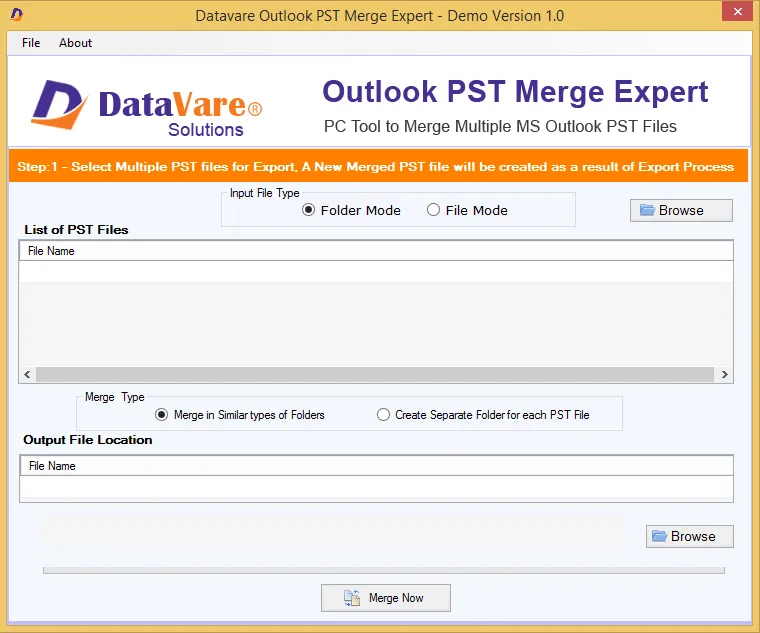
Whenever you launch the app, it needs your direction to perform the file incorporation. It needs you to select the required PST files that you want to assimilate. Thus, you get desirable results every time.
To create a big sized PST file, you can merge entire PST data. The PST Merger merges all the folders of PST including Inbox, Outbox, Contacts, Calendars and other elements together to provide accurate data incorporation support.
There are different options offered by the app to merge Outlook files. You can merge only contact, inbox and any desirable folder of PST that you wish. This is custom data merge support offered by the app.
The merge PST program saves the newly built PST file to the location that user's have selected. Users have freedom to save the resultants to any suitable local folders or sub-folders. A new folder can be created to save data.
The tool helps to merge PST with top accuracy. No data gets damaged or corrupted. The entire elements of mails are merged in one file including From, To, CC, BCC, Subject and Date. The tool provides full accuracy every time you use it.
Real feedback from satisfied customers worldwide
The multiple merge options give desirable results. It works with full accuracy. No file gets damaged or corrupted. The merge speed is really spectacular. Satisfied with its performance.
I have faced no problem in operating the tool without technical assistance though I am not so technically well versed. It takes me less than 15 minutes to understand the key functions of the app. The software is worth to buy.
In appearance, the tool looks so simple but in performance it is advance. Multiple data merge options and impeccable speed in merging data have left me surprise. I would like to recommend it to all who want to buy a trust worthy app.